
 Corporate
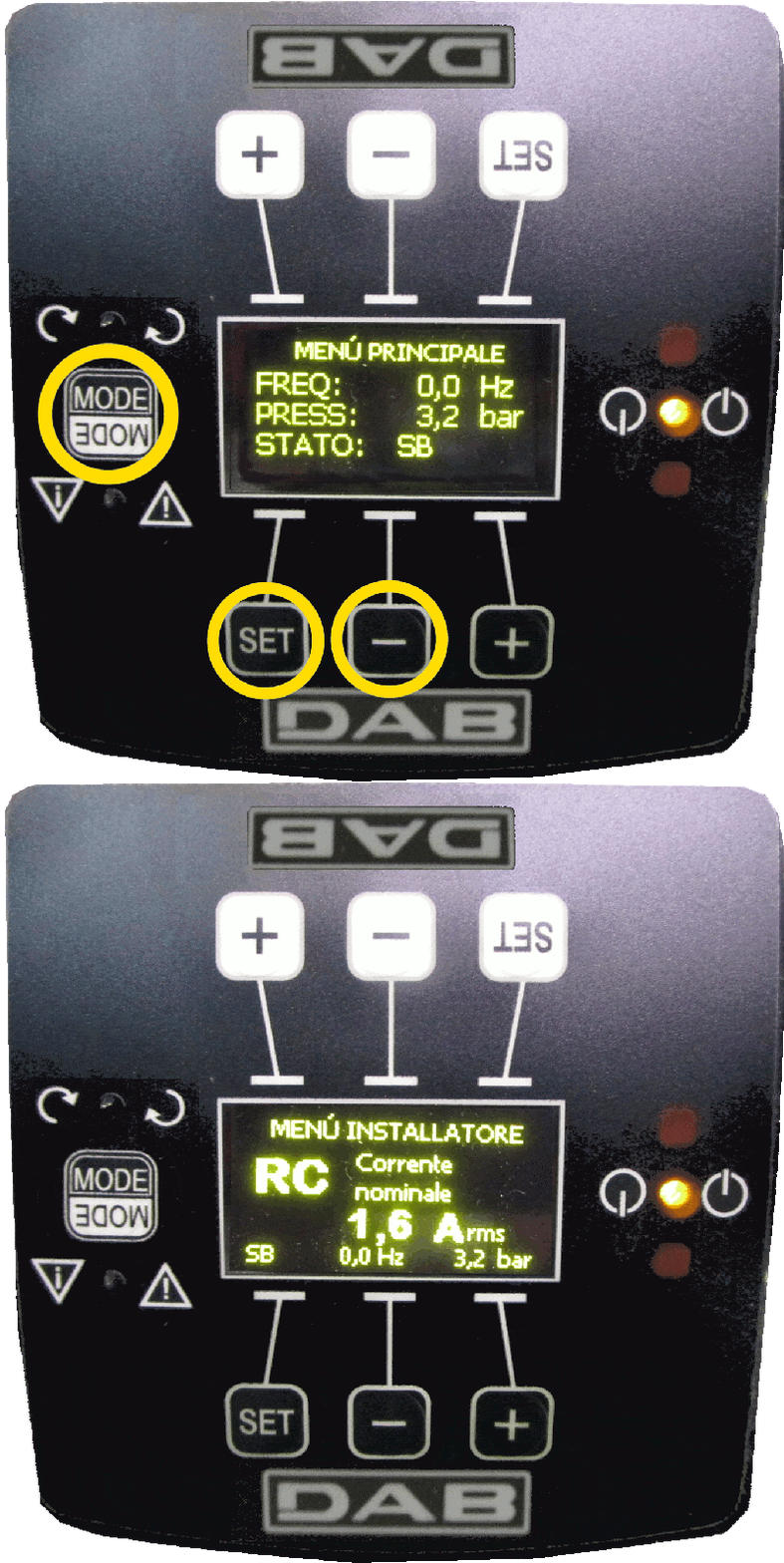
To enter the installer menu, which allows you to change the operating parameters of the inverter, simultaneously press the "mode" "set" "-" buttons for about 5 seconds, until "installer menu" appears on the display. Now the "+" and "-" buttons allow you to increase and decrease the value of the parameter.
To learn more about this topic, you can register free for our online course MCE-P tutorial organized by the D.Training, aimed at installers, plumbers or interested people. The instruction manual of the KDNE MCE-P contains all the information for use, maintenance and installation.The KDNE MCE-P pump is a standard KDN pump with our MCE-P inverter installed as a standard feature. We refer you to the product manual for further information.